1. Introduction
This article introduces the Akselos Portal for users who have just registered an account. It covers what a new user sees at first login and how data is organized inside the Portal.
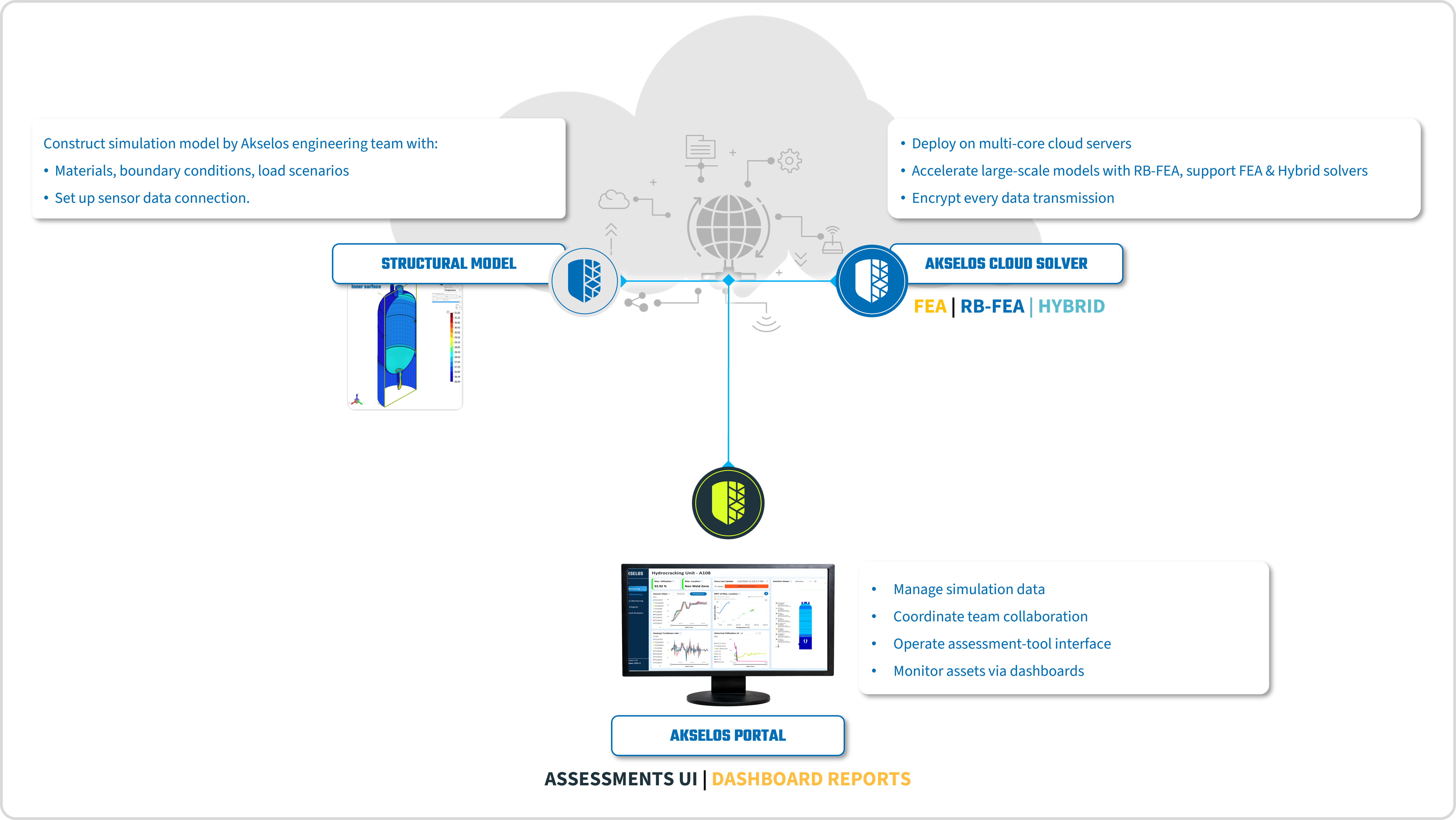
Figure 1. One Akselos account connects the Structural Model, Cloud Solver, and Akselos Portal.
The way the Portal organizes data follows the SPM workflow, from the structural twin and its input data through to the operational results an operator reads each day. Understanding this structure makes it clear where each kind of information lives and how the pieces connect, from the model of an asset to the dashboard that reports its structural health.
2. First Login to the Portal
2.1 The First-Login Screen
When a user signs in to the Akselos Portal for the first time after registering, the Portal opens to a welcome state rather than to asset data. The main screen displays a message explaining that the account does not yet have access to any collections and that the user should ask the organization administrator to grant access. Once access has been granted, the user reloads the page to see the collections that are now available.
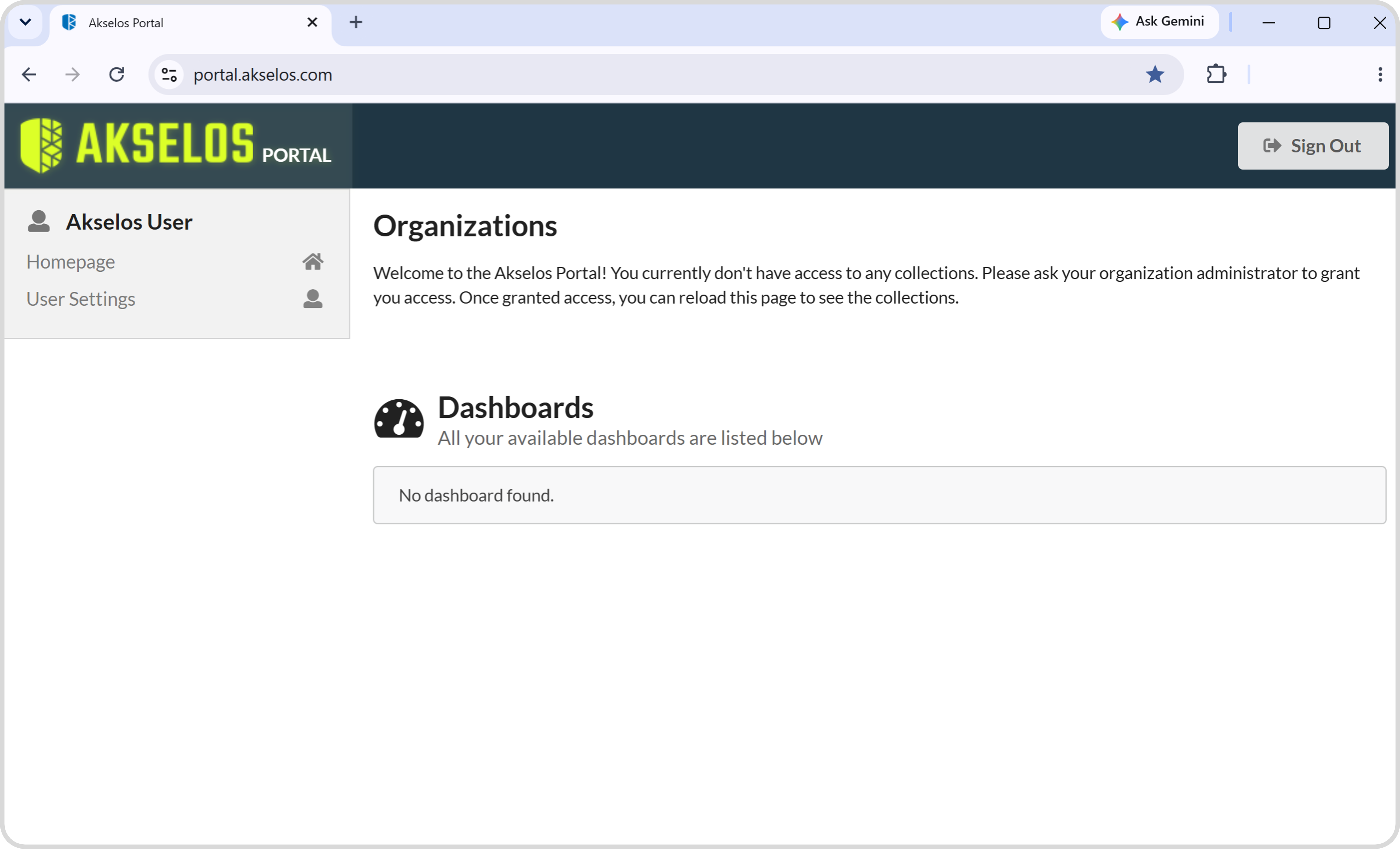
Figure 2. The first-login screen shown to a new user before access is granted.
Akselos treats confidential data with care. To maintain a high level of data protection, a new user cannot reach any material on the Portal without permission from an administrator. By contacting the organization administrator, the user obtains one of three types of access, which determines how the user sees and uses the Portal interface. Each of the three access levels allows a different set of actions within the Portal.
2.2 Home Page Tab
After signing in, the user always lands first on the Home Page tab. This tab is the default landing view of the Portal. Once access has been granted, the Home Page tab displays every organization and collection that the account is permitted to see. A user with administrator permissions sees all organizations and collections to which they have access.
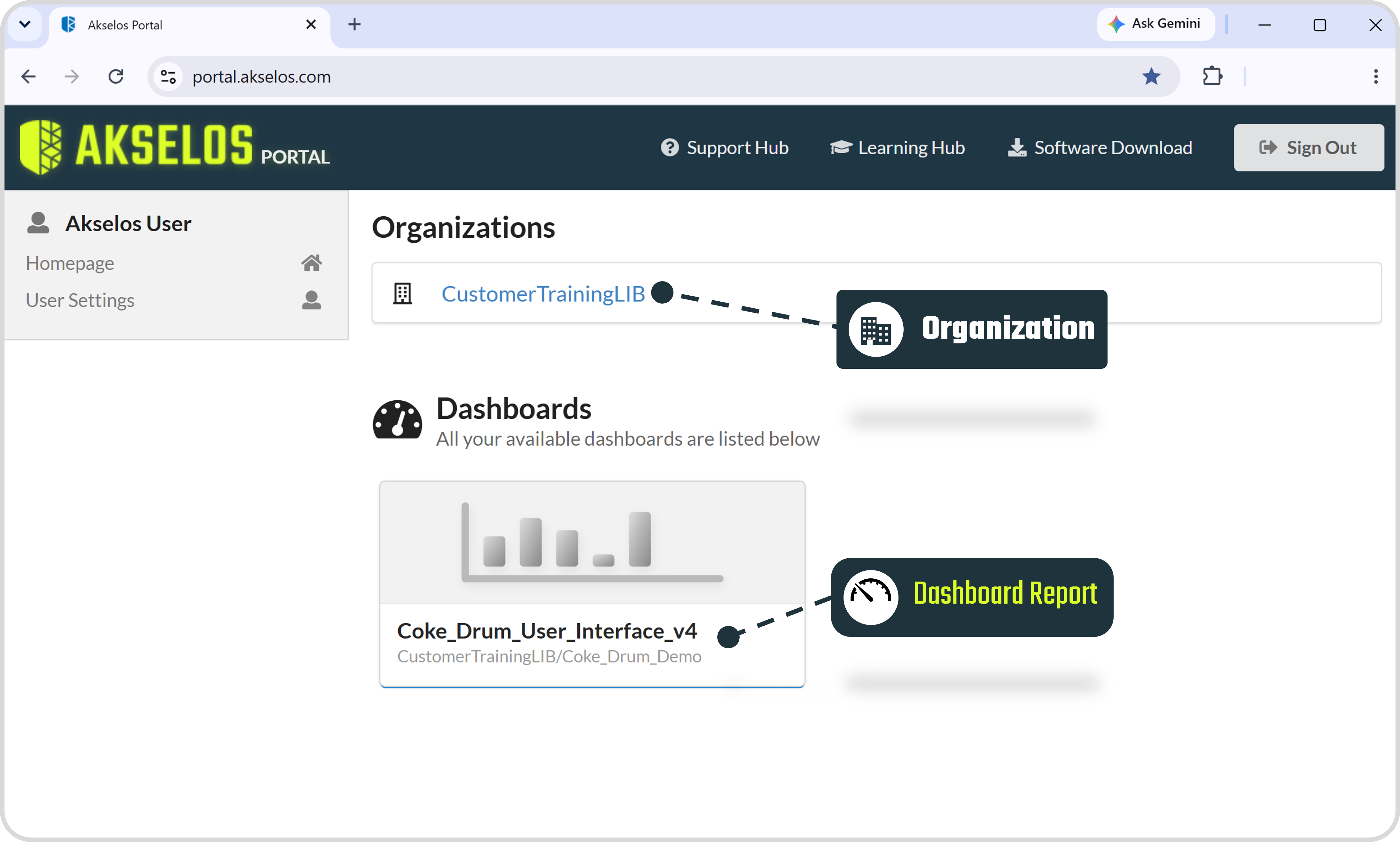
Figure 3. The Home Page tab, the default landing view after signing in.
3. Akselos Portal Data Structure
Data on the Akselos Portal is arranged as a hierarchy. The Organization sits at the top. Within an organization, data is held in Folders, Repositories, Collections, and Dashboard Reports. Each type has a distinct purpose, described in the subsections below.
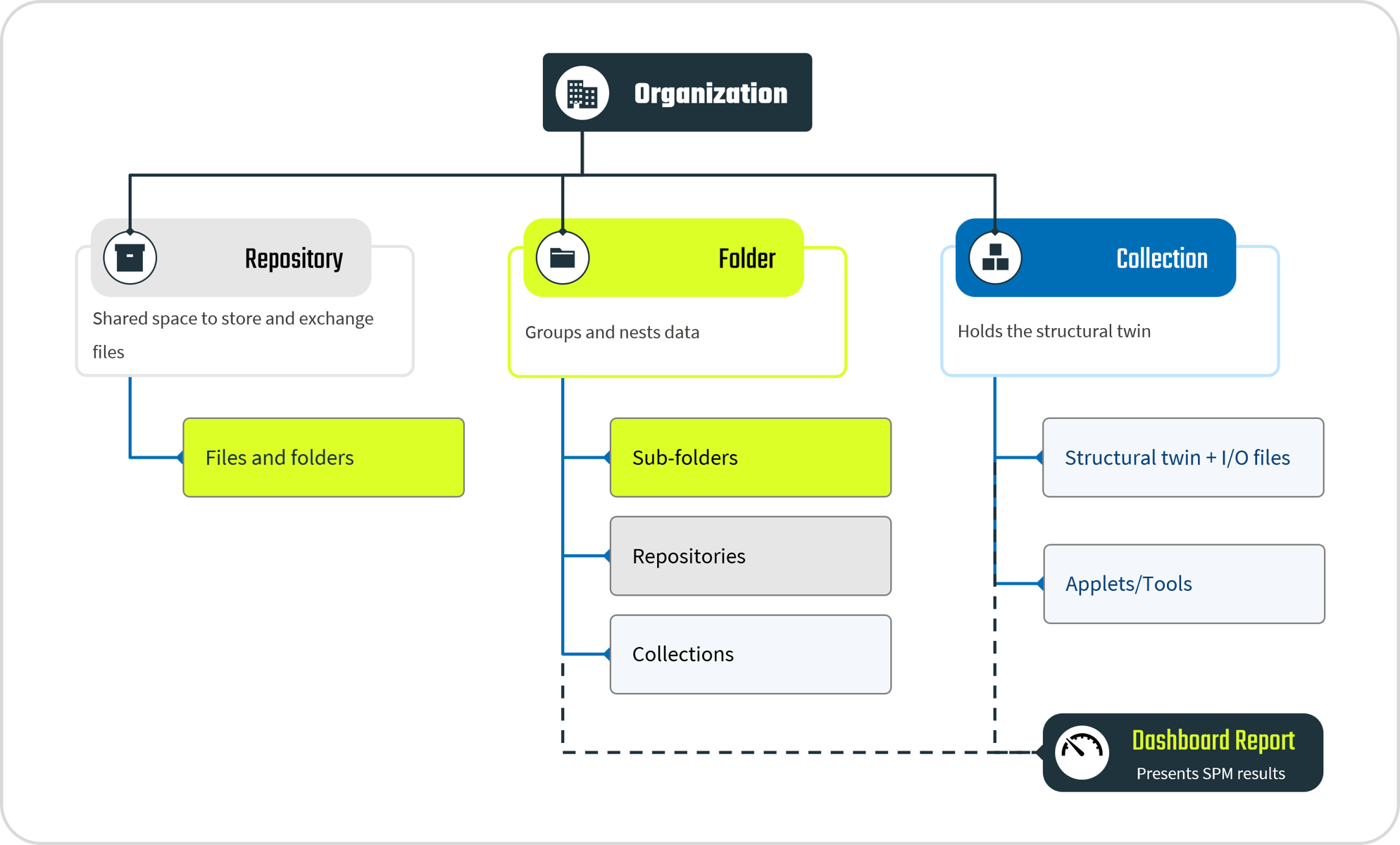
Figure 4. The Akselos Portal data structure hierarchy.
3.1 Organization
An Organization is the workspace that Akselos creates for a group of users. When an individual partner or a company partner acquires a license and becomes a customer, Akselos creates a dedicated organization for that business. The organization is the top level of the data structure, and every folder, repository, collection, and dashboard report belongs to it.
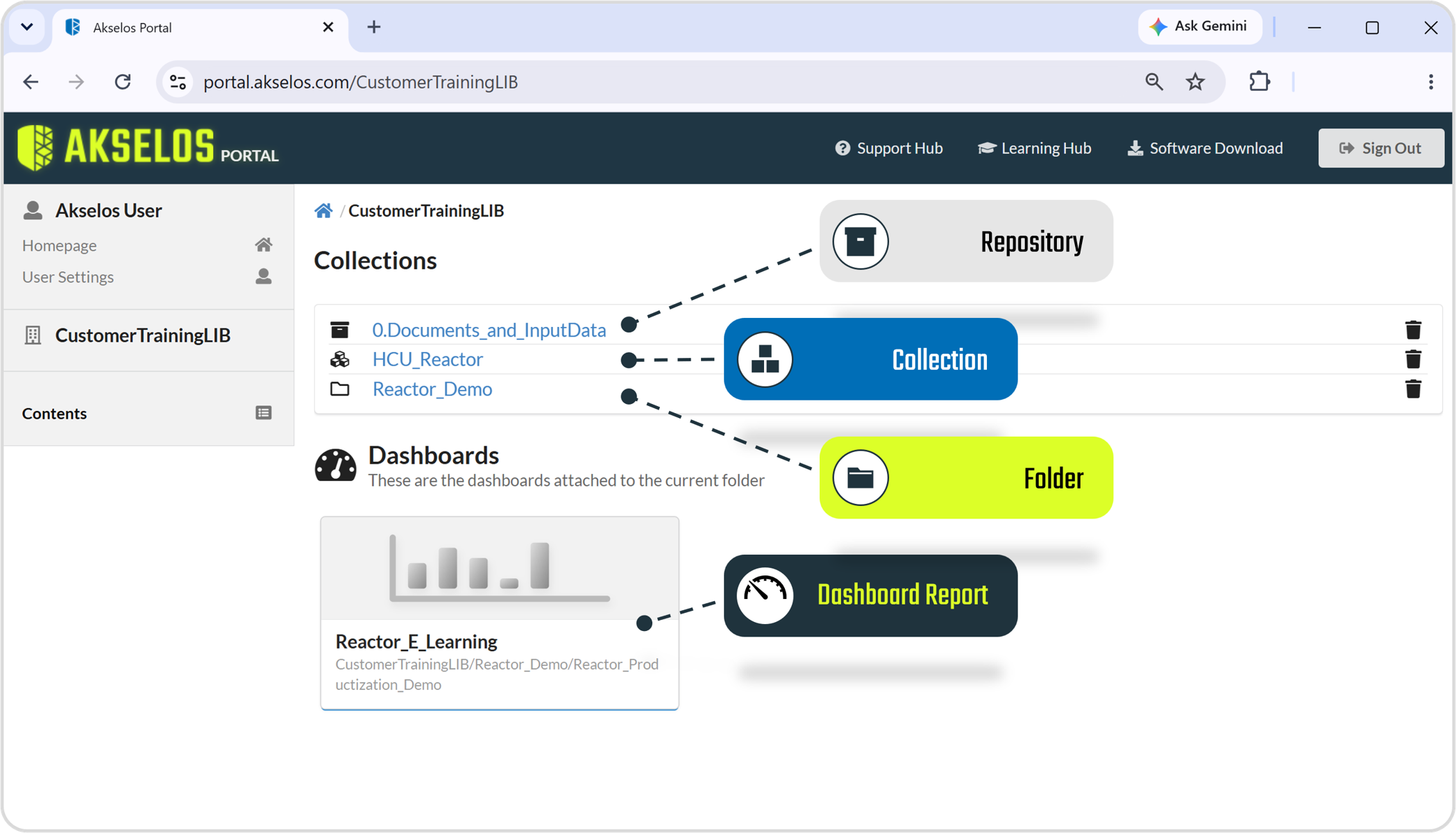
Figure 5. An organization holding repositories, collections, and folders.
3.2 Folder
A Folder is a container for organizing data within an organization. A folder can hold collections, repositories, and other folders, which allows data to be grouped and nested to match the structure of a project or an asset base.
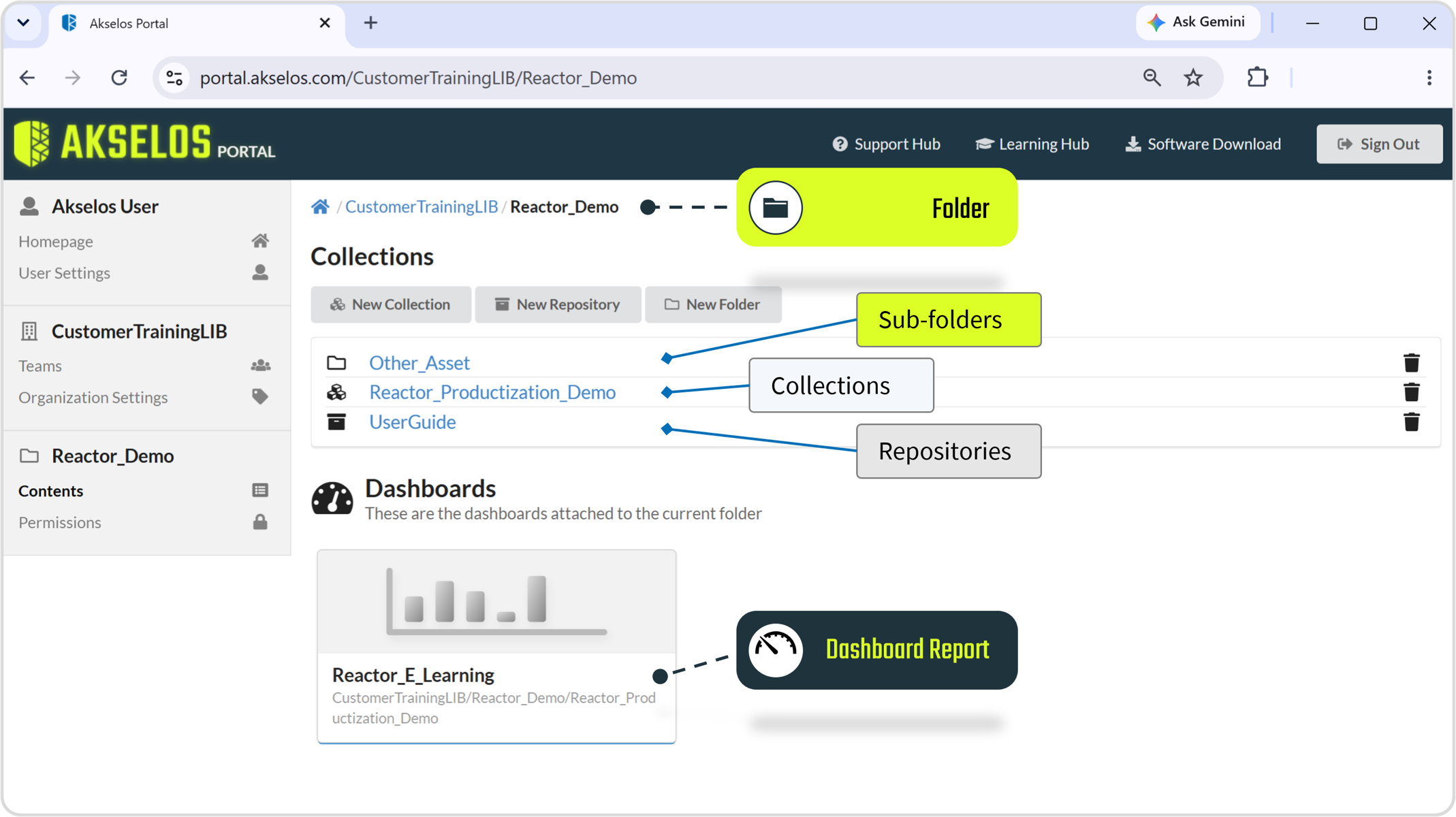
Figure 6. Inside a folder: sub-folders, collections, and repositories.
3.3 Repository
A Repository is a shared space for files that are for teams to store and exchange files from any location, and it accepts any file type, such as a presentation, a document, a video, or a PDF. New folders can be created inside a repository to organize its contents. Each file in a repository must be no larger than 3.7 GB.
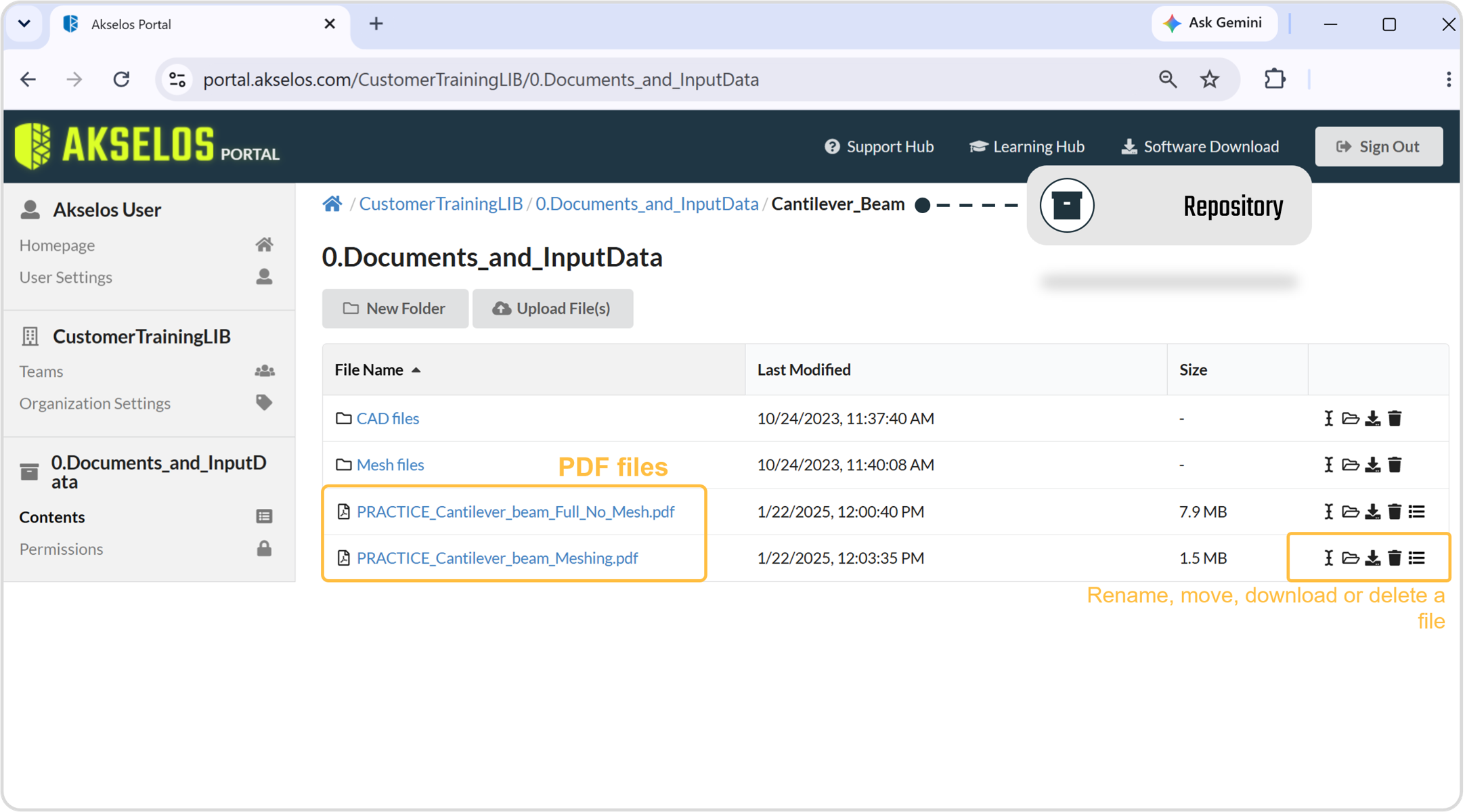
Figure 7. Inside a repository, with files and folders.
3.4 Collection
A Collection contains the structural twin of an asset together with its related input and output files. The structural twin is the physics-based model on which Akselos SPM evaluates structural integrity.
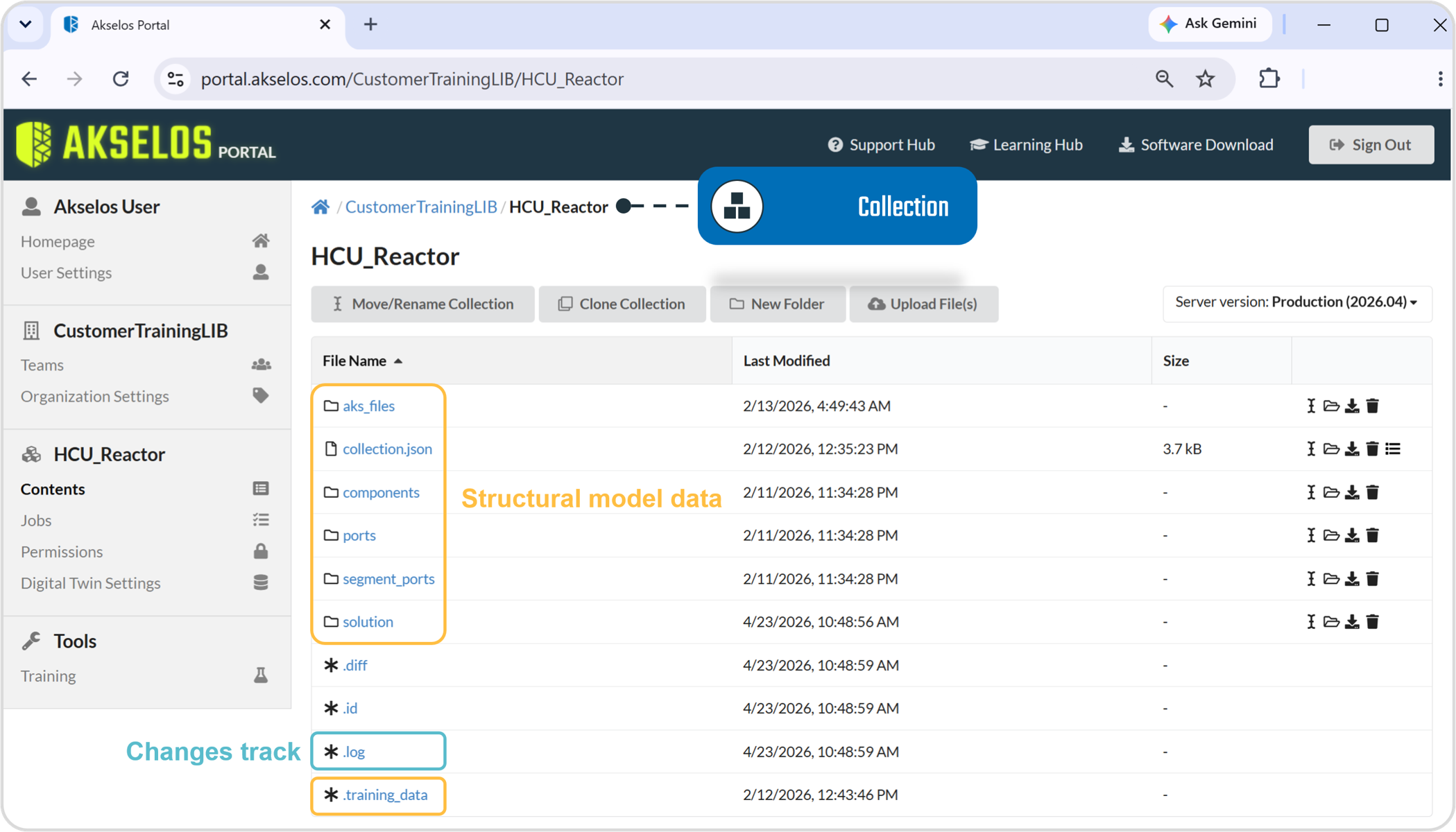
Figure 8. Inside a collection: the structural model data and change log.
A collection also acts as the gateway to the applets and tools that run the assessment associated with the asset. The data held in a collection falls into two groups: the structural twin data and a management file.
- Structural twin data: collection.json, components, ports, and training_data hold the information that a simulation model refers to, such as its materials, mesh, and properties library. This data is used not only for solving but also for pre-computing, where RB-FEA can be enabled. The aks_files folder stores the fully configured, physics-based models that the SPM tools access to run engineering assessments such as fatigue, creep, and MPT.
Tip: Component Training (also called Component Pre-computing) is a key Akselos workflow step that uses a smart algorithm to generate training datasets spanning many model configurations. The resulting dataset, stored in training_data, is what RB-FEA analysis draws on.
- Management file: the .log file records every change committed to the collection by any account. It provides a change history that lets both users and the Akselos team see who made each change and when, which supports team collaboration, makes it possible to trace unexpected results back to a specific change, and gives the Akselos team the record needed to support and maintain the collection.
Some of this data is fixed in a default collection. A collection may also contain further data specific to the project, such as input and output files, images, or the standards that apply to the project
3.5 Dashboard Report
A Dashboard Report is the SPM reporting view within the Portal. It is the stage at which cloud computation becomes operational information, presenting structural health indicators in a form that does not require simulation expertise to read. A dashboard report typically presents key performance indicators, sensor charts, and contour plots that summarize the condition of the asset.
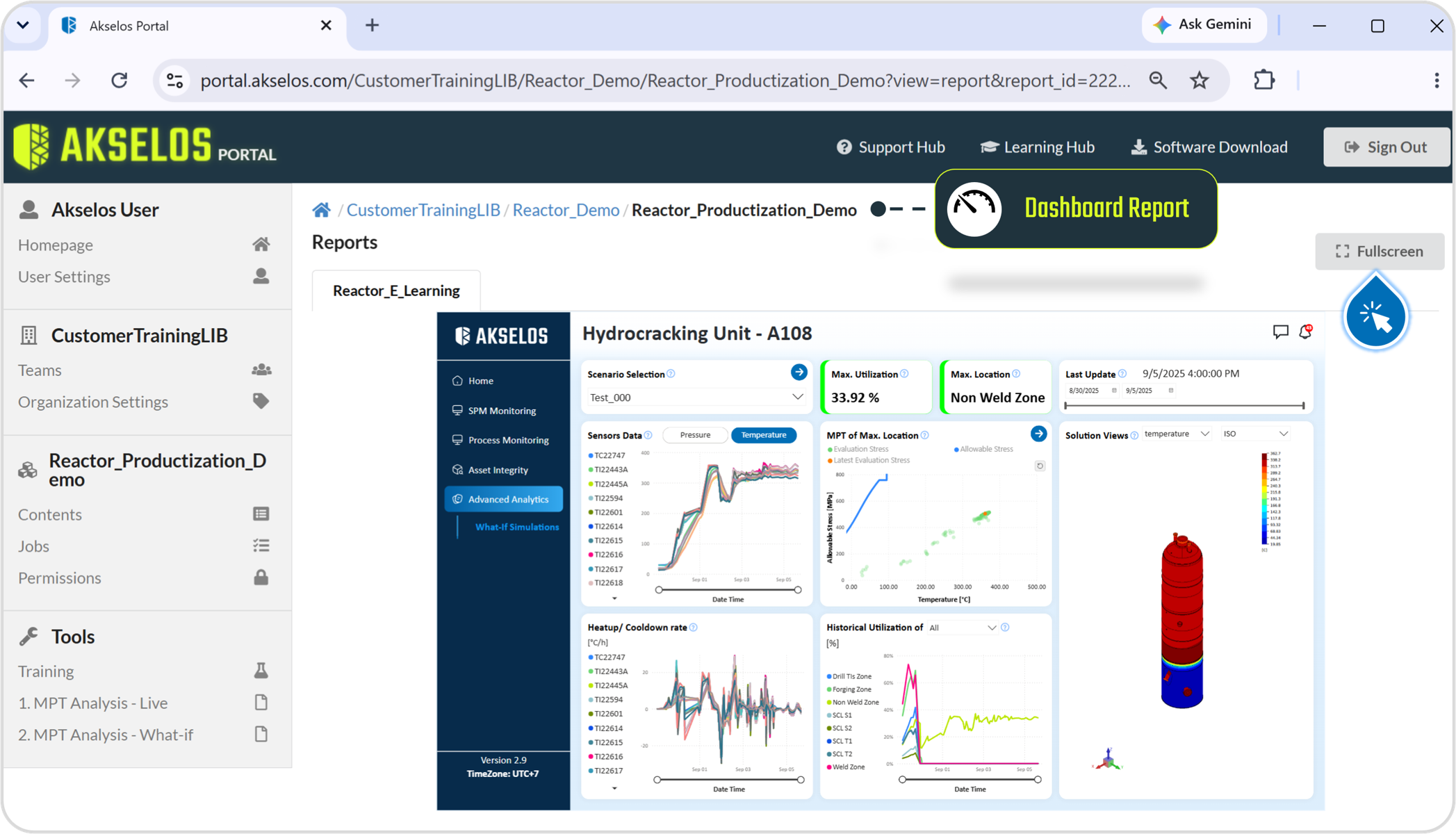
Figure 9. A dashboard report presenting SPM results for an asset.
Each dashboard report is Collection or a Folder and presents the results computed for the structural twin and data held there. Drawing directly on the assessment results produced by the collection's applet, the report links the operational view to its underlying asset. A shortcut at the end of that collection or folder page opens the report, giving operators a direct route from the underlying data to the operational view built on it.
3.6 Applets
An Applet is a tool that runs an engineering assessment on the structural twin held in a collection. Sharing the collection with the structural model, the applet operates directly on that model when an assessment is run automatically or manually: it draws on the relevant input data, such as live sensor readings, together with the physics-based models stored in the collection, and computes results that characterize the condition of the asset, including temperature distribution, stress state, and the Utilization Factor. As the calculation stage of the SPM workflow, an applet can publish these results to the dashboard report as soon as an assessment completes, depending on the model and the applet in use.
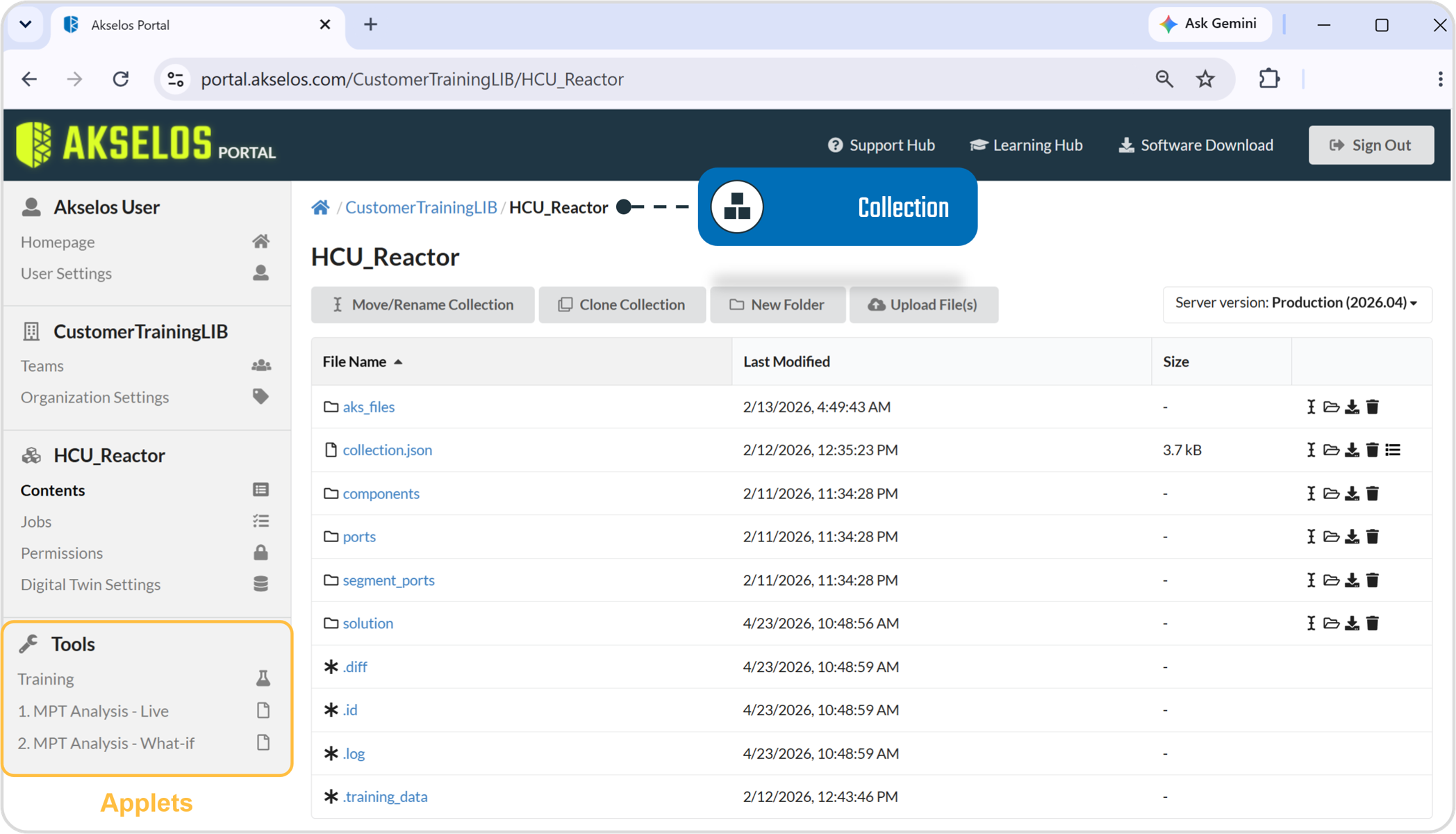
Figure 10. An applet running an assessment on the structural twin within a collection.